
User Guide: How to Use the PCFitment Excel Template (For European Marketplace)

PCFitment’s Batch Upload feature allows you to upload multiple parts and their vehicle fitments at once. This guide walks you through the steps to correctly prepare and upload your fitment data using the PCFitment Excel Template, specifically for the European Marketplace.
For that, Click on Batch Upload on the navigation like below:

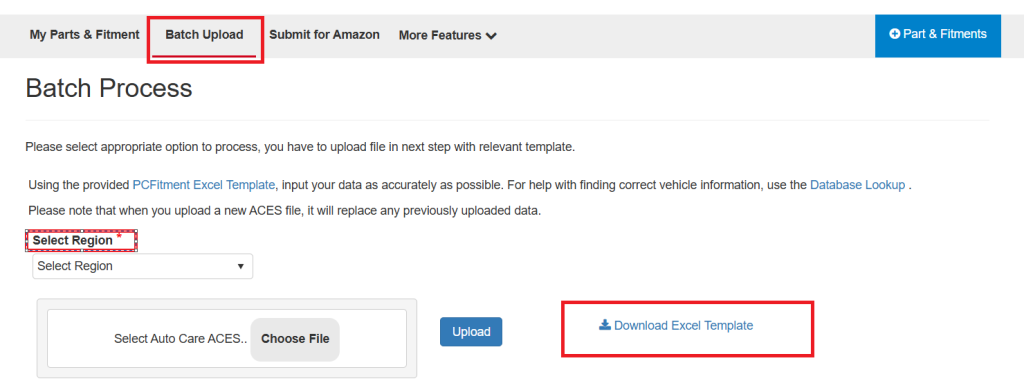
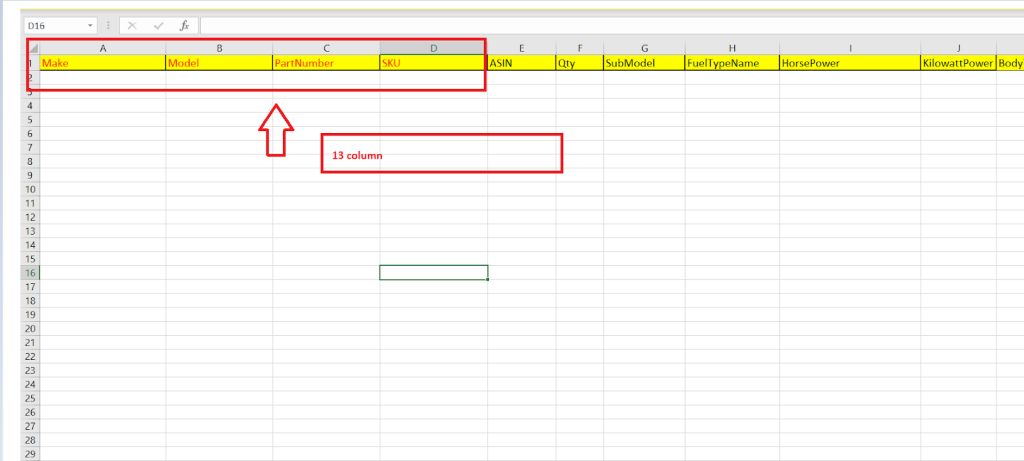
- Open downloaded file.
- There are over 13 columns in the Excel template.
- Depending on the part type, additional information might be required.
- The one in red is the required information.
- Please make sure to add the make, model, part number & SKU
- Sku should match with your product SKU which you have kept in Amazon.
- Sheet title should be “Aces Template”
Note: Please make sure you don’t change any column or sheet titles .
If you need to look up vehicle information to add to your fitment data, you can go to “Database Lookup” for your research.The Vehicle Database Lookup Tool helps you find and verify accurate vehicle details before adding them to your Excel file.This is especially useful for ensuring your parts are mapped correctly for European vehicle coverage.

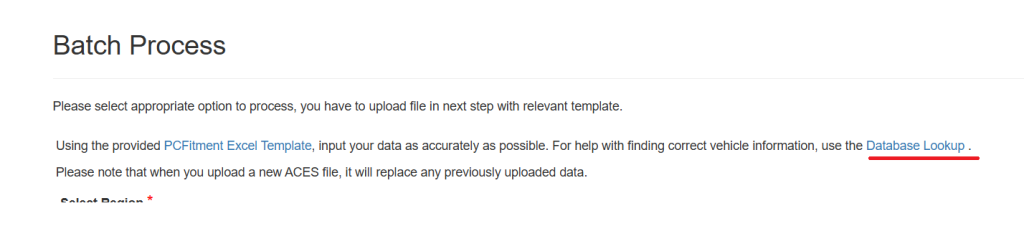
How to Use the Vehicle Database Lookup
The Vehicle Database Lookup tool lets you search our comprehensive Amazon vehicle database, which also includes coverage for European market vehicles. This tool helps you verify vehicle details, check available models, and review specific configurations before linking them to your parts.
Step-by-Step Guide
1. Navigate to the Tool
From your main Dashboard, hover over the More Features tab in the top navigation menu and select Database Lookup from the dropdown list.
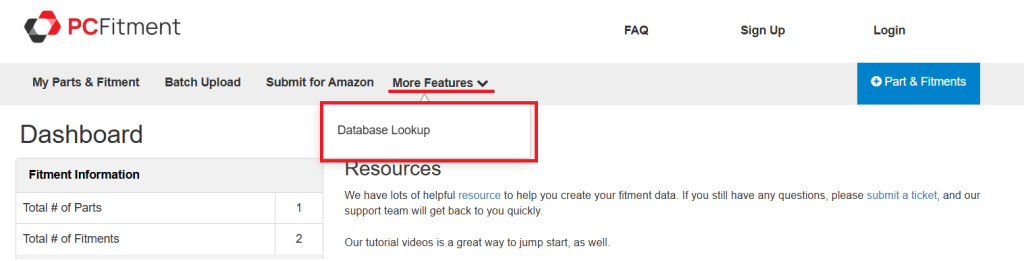
2. Enter Search Criteria
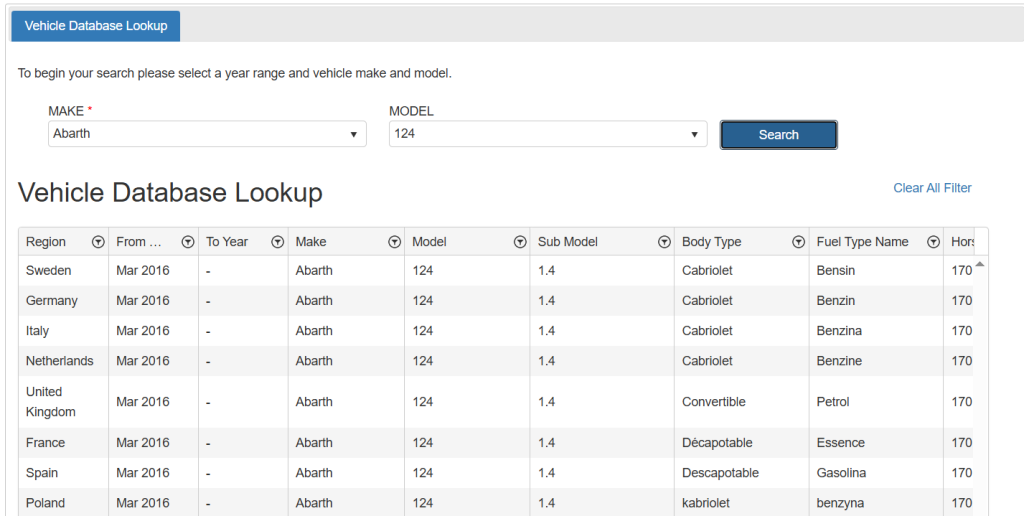
In the Database Lookup form, select the vehicle Make from the dropdown (e.g., Abarth, AC) and enter the Model name (e.g., 124, 428) to begin your search.
After selecting a Make and entering a Model, click the blue Search button to view the results.
3. Review the Results
The lookup table will display all matching vehicles with key details such as region (Amazon and European), make, model, year range, body type, and fuel type — helping you confirm the correct vehicle configuration before adding fitment.
Why This Is Helpful
The Vehicle Database Lookup pulls data directly from Amazon’s global vehicle catalog, which already includes European market specifications, ensuring accurate and up-to-date vehicle data within the PCFitment system.
Adding fitment data to the Excel template. Add the details of the make , model , partnumber, SKU
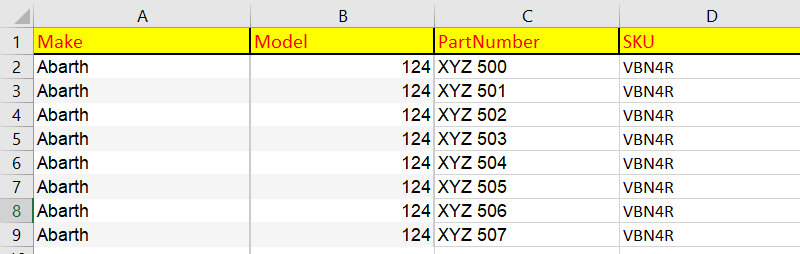
Add the optional attributes to the correct columns,
Once added all the information continues this process to add all your data, once you are ready, go to Batch Upload on PCFitment to upload your Excel template.