How to Add Parts

When you’re ready to add your parts and fitments in PCFitment Europe, simply go to the main menu at the top of the homepage and click on “Parts & Fitments.”
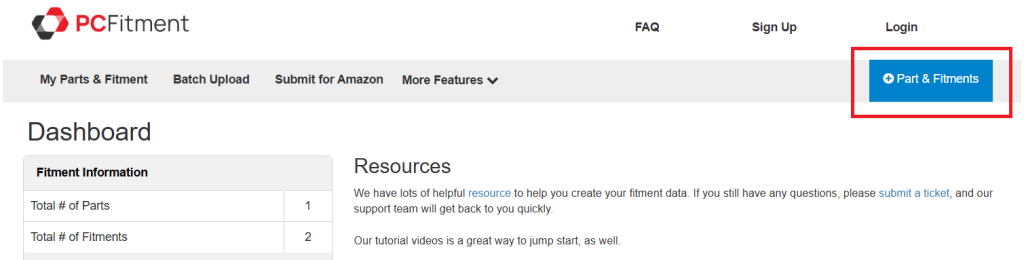
After clicking on Parts & Fitments, you’ll see the Add Part & Fitments screen as shown below:
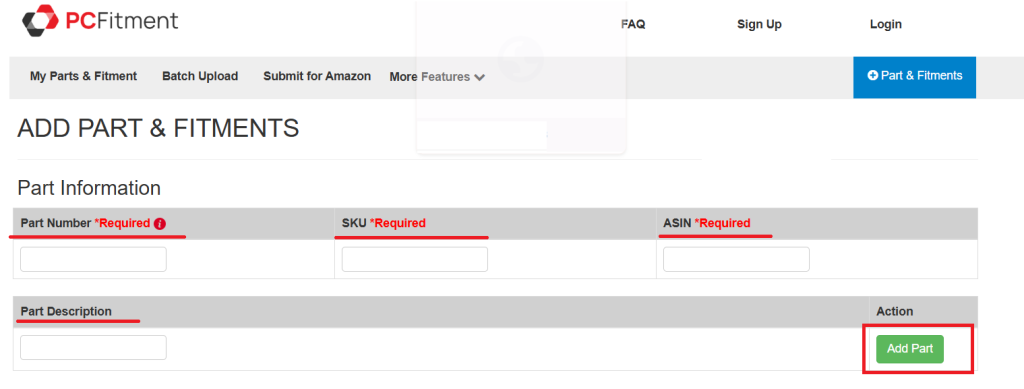
In the Part Information section, fill in the required details:
- Part Number (Required) — Enter your manufacturer’s part number.
Note: Do not use your SKU in this field. - SKU (Required) — Add your internal stock-keeping unit (SKU) for reference.
- ASIN (Required) — If applicable, enter the Amazon Standard Identification Number.
- Part Description — Add a clear and concise description of your part.
Step 3: Add the Part
Once all the required information is entered, click the green “Add Part” button on the right-hand side.Your part will now be added to your account,
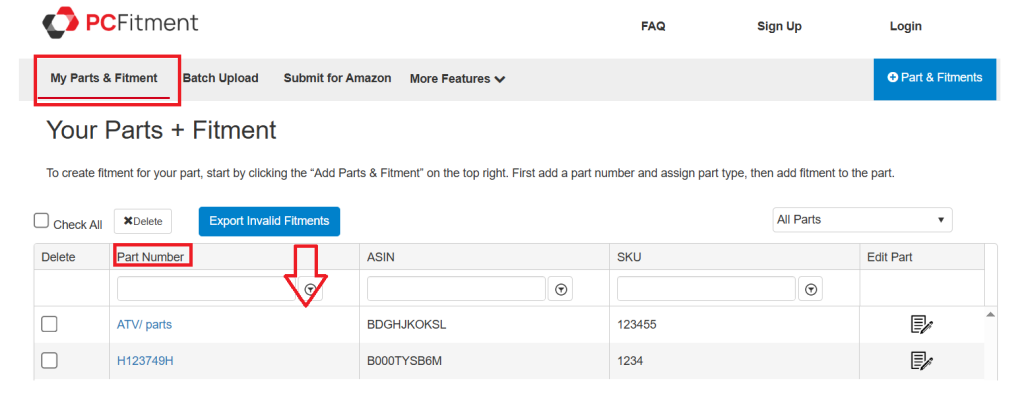
To view the parts you’ve uploaded, just click on ‘My Parts & Fitment’ in the main menu at the top of the PCFitment homepage.