
How do I copy fitment from PCFitment to an existing Part Number?

If you already have an existing part in Europe.PCFitment.com, you can easily copy fitment data from another PCFitment part number instead of manually entering all the details again.
Follow the steps below to copy fitment from PCFitment to your existing part.
Step 1: Go to the “My Parts & Fitment” Menu
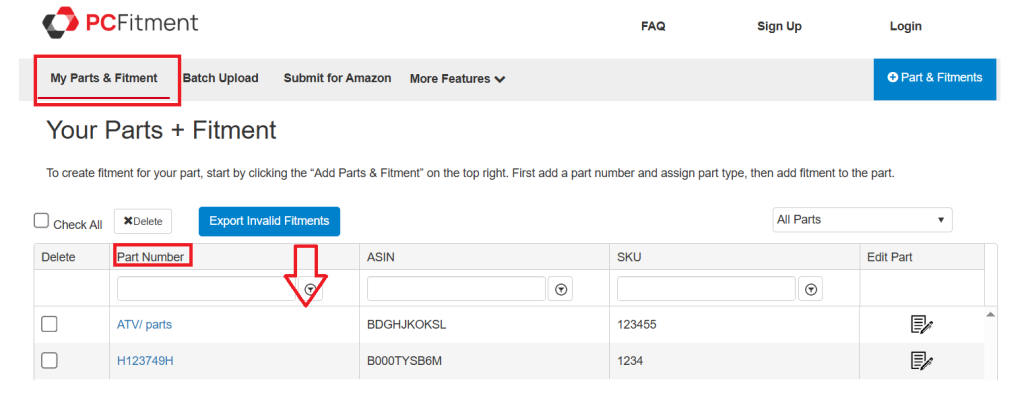
Step 2: Select the Existing Part Number
Find and select the part number for which you want to copy fitment.
For example, let’s select part number: ATV/parts.
Once selected, click on the dropdown menu and choose “Copy Fitment from PCFitment.”
Step 3: Choose the Source PCFitment Part Number
Once selected, click on the dropdown menu and choose, select the PCFitment part number from which you want to copy the fitment data.
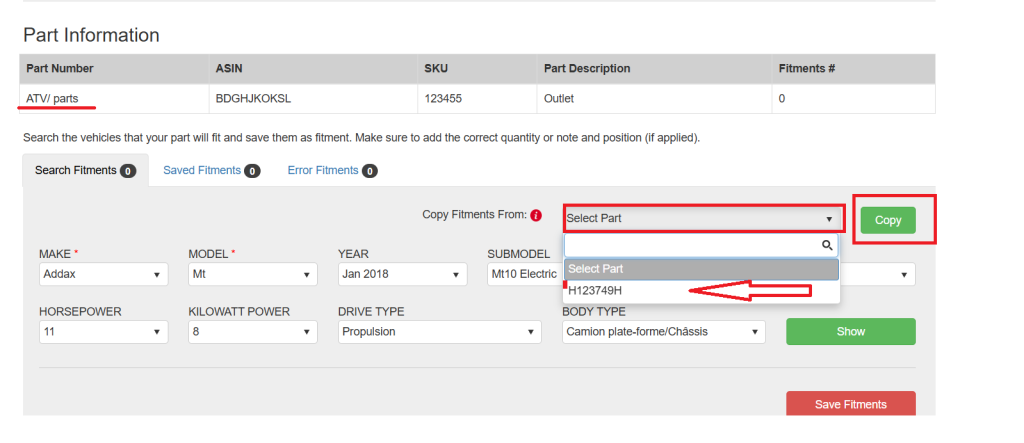
Step 4: Save the Fitment
After clicking “Copy,” all the selected fitments will be displayed on your screen.
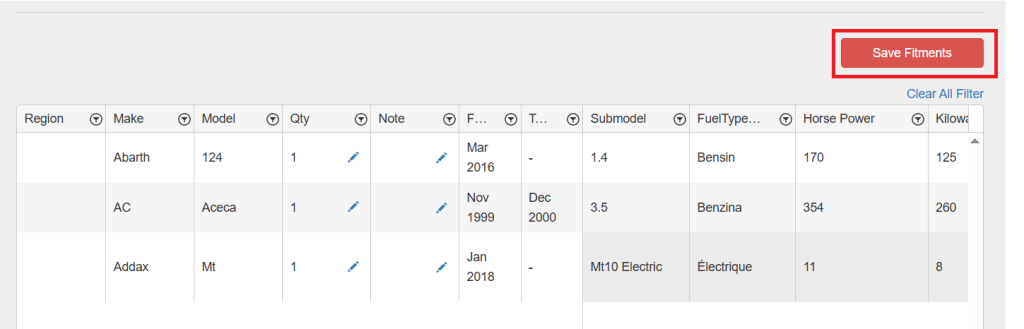
Review the data, and then click on the “Save Fitment” button to save it to your selected part number.
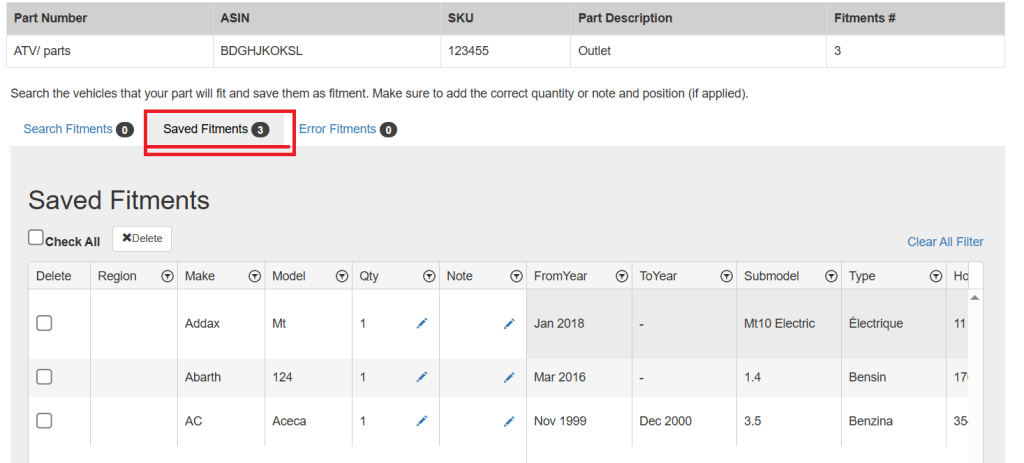
That’s it!
Your existing part now includes all the copied fitments from PCFitment.
This saves time and ensures data consistency across all your part numbers within Europe.PCFitment.com.