
Forgot Your Password? Here’s How to Reset It on PCFitment Europe

If you’ve forgotten your PCFitment Europe account password, don’t worry — you can easily reset it in just a few steps.
Follow the instructions below to regain access to your account.
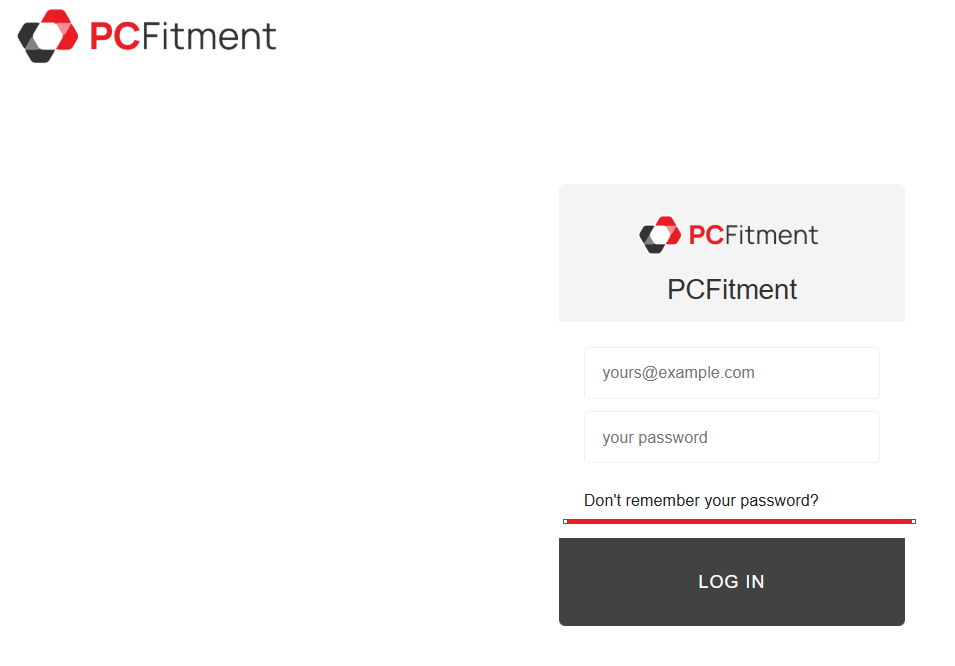
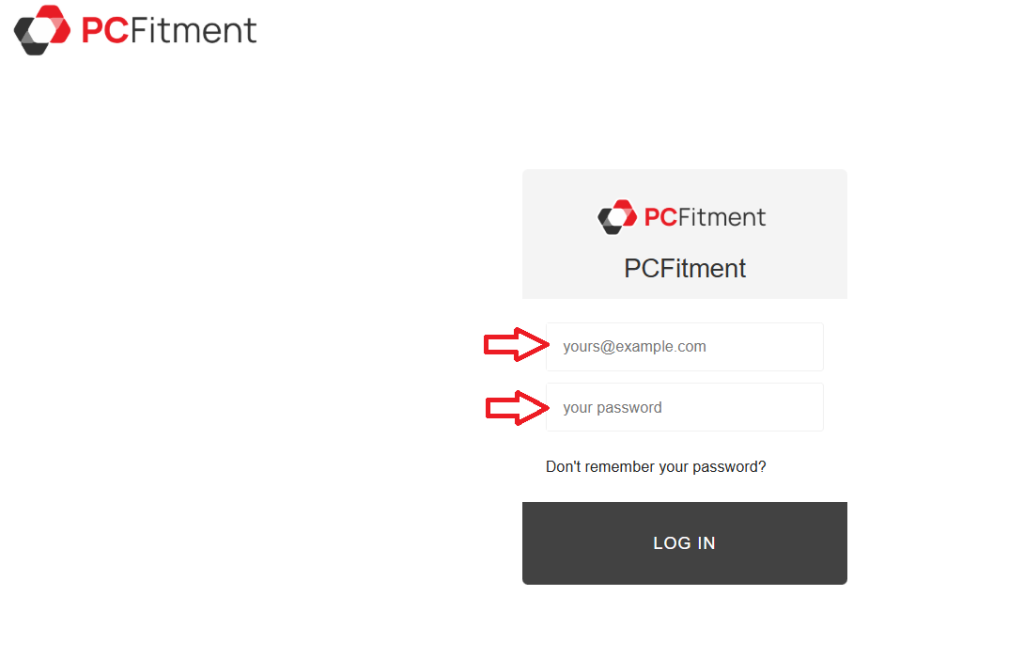
Step 1: Click on “Don’t remember your password?”
On the login page at https://europe.pcfitment.com, below the Email and Password fields, you’ll find a link that says “Don’t remember your password?”
Click this link to start the password recovery process.
Step 2: Enter Your Registered Email
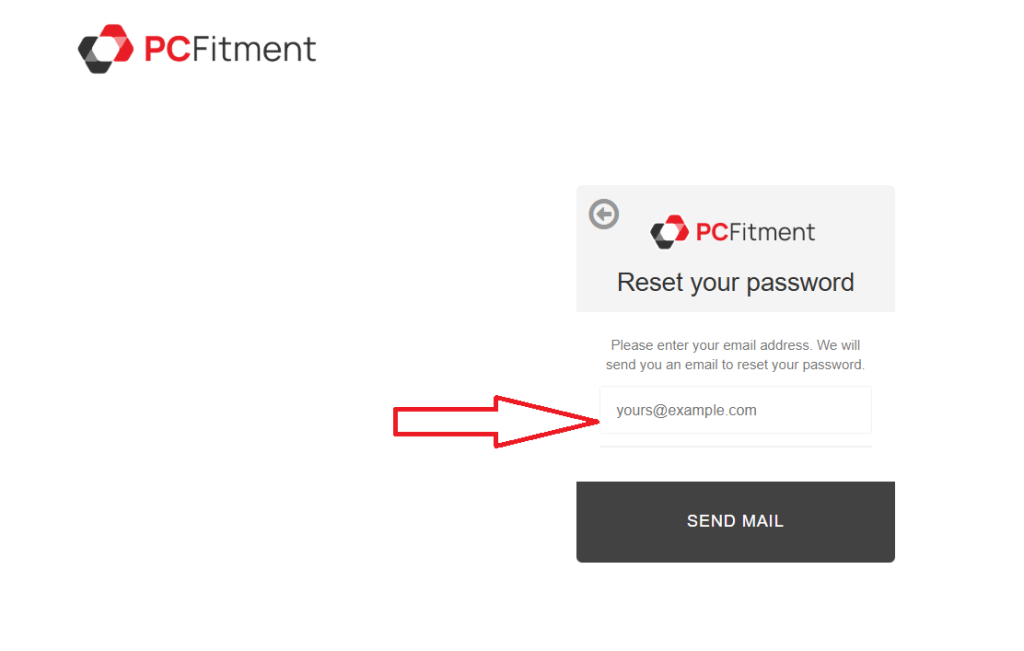
A password recovery form will appear.
Enter the email address you used to sign up for PCFitment Europe, and then click “Send Email.”
Step 3: Check Your Email
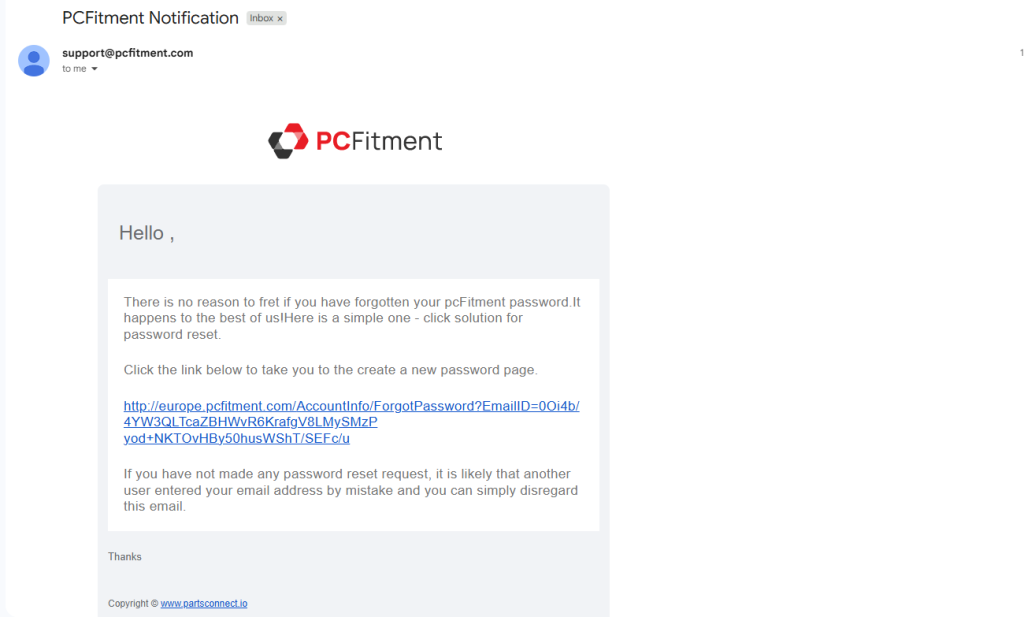
You’ll receive a password reset email from the PCFitment Europe Support Team.
If it doesn’t appear in your inbox, check your Spam or Junk folder — sometimes messages get filtered there.
Open the email and click the reset link provided to continue.
Step 4: Reset Your Password
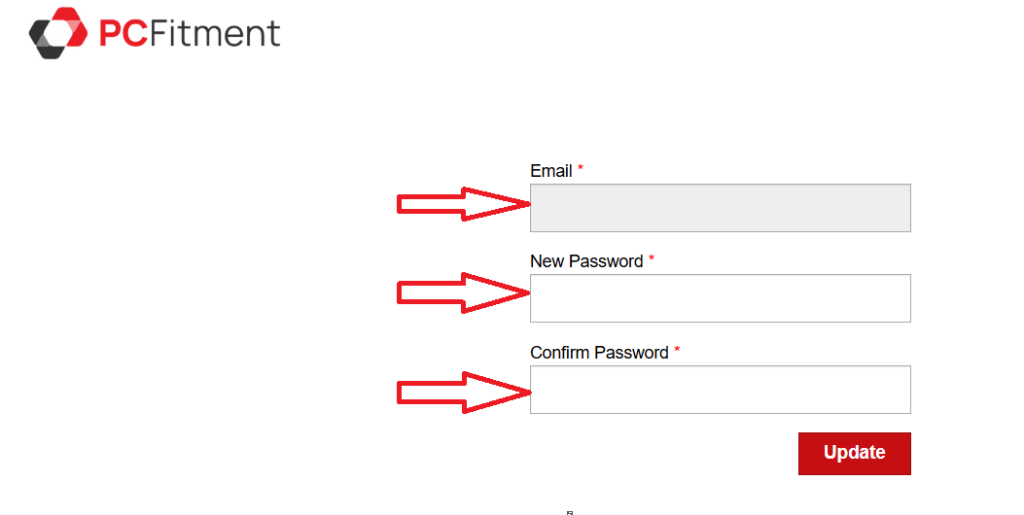
You’ll be redirected to a secure page where you can create a new password.
Enter your new password, confirm it, and then click “Update.”
Step 5: Sign In with Your New Password
Once your password has been successfully updated, you’ll be redirected to the login page.
Use your new password to securely sign in to your PCFitment Europe account.
Once you’ve completed these steps, you can securely access your PCFitment account using your new password.
PCFitment Europe services are currently available in Germany, Spain, France, the United Kingdom, Italy, and the Netherlands, with more regions launching soon!