
How to Submit Your Fitment Data to Amazon Europe

This guide will walk you through the two-part process of connecting your PCFitment account to Amazon Seller Central and submitting your completed fitment data on amazon.
Before you begin, you must have all your parts and their corresponding vehicle fitments already added to your PCFitment account (either manually or via batch upload).
Part 1: Granting PCFitment Permission
The first step is to create a one-time secure link between PCFitment (Parts Connect) and your Amazon Seller account.
- Navigate to the Submit for Amazon tab in the main navigation bar.
- You will be redirected to the official Amazon Seller Central login page.Sign in to your Amazon account. By logging in, you grant Parts Connect permission to submit your fitment data to Amazon on your behalf.
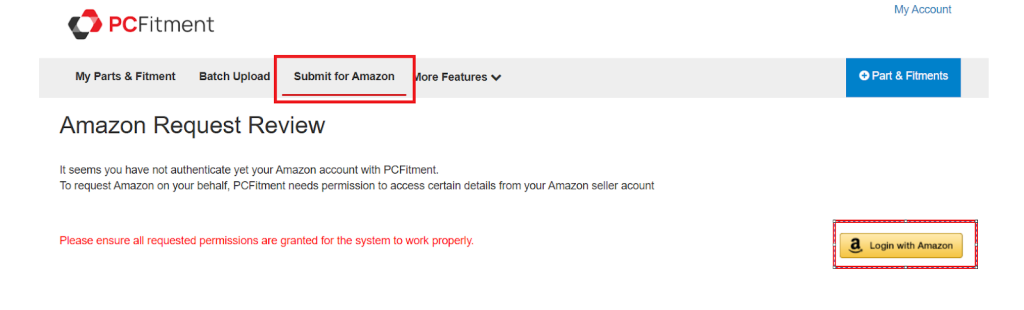
3. You will be redirected to the official Amazon Seller Central login page.Sign in to your Amazon account. By logging in, you grant Parts Connect permission to submit your fitment data to Amazon on your behalf.
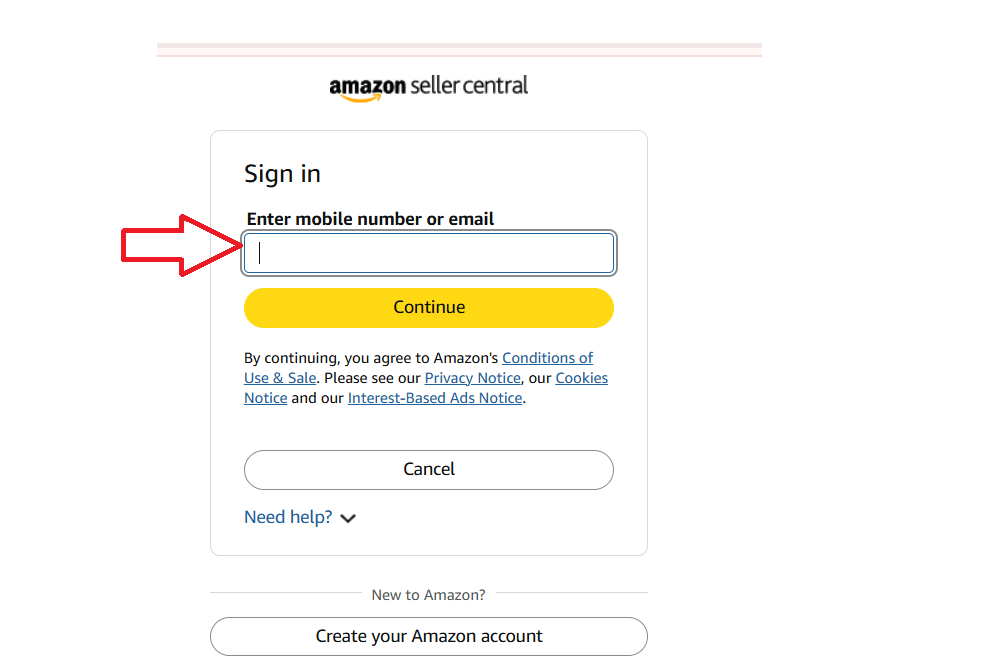
Important Note: Granting access only allows Parts Connect to submit your fitment data. We cannot access, edit, or delete any other information from your Amazon store. Your account remains 100% safe and secure.
Part 2: Submitting Your Fitment Data
After you have successfully granted permission, you are ready to send your data.
- Navigate back to the Submit for Amazon tab.
- The page will now look different. It will show a “Submit for Amazon” section, which confirms you are ready to send your data.
- Click the red Submit for Amazon button.
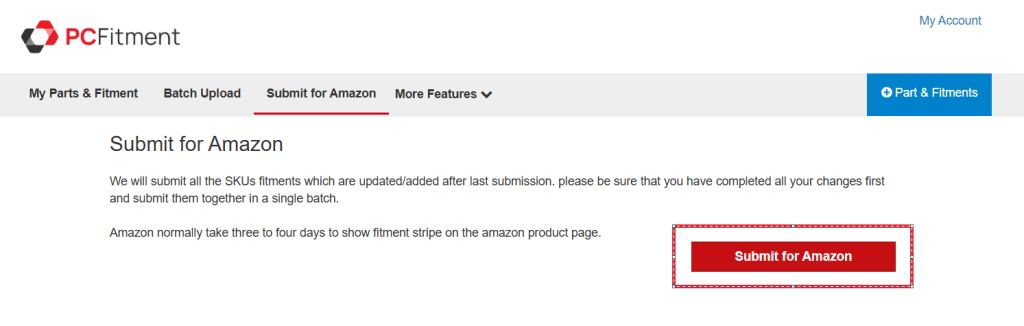
That’s it! PCFitment will now process all your SKUs and their associated fitments and send them to Amazon in a single batch.
Your fitment details will be visible within 24 hours on your Amazon Europe listings.